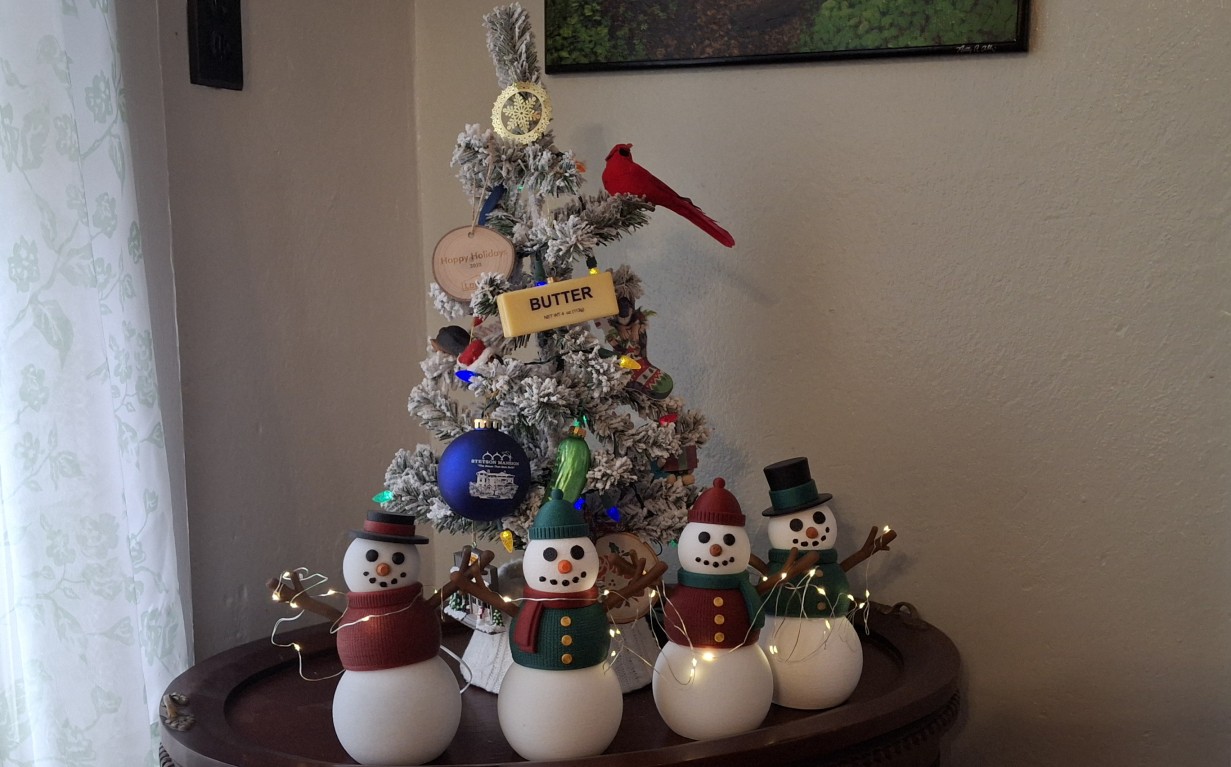
Merry Christmas from all of us here at the Barkyard Railroad! We’ve been busy since before Thanksgiving, or rather, I’ve been busy making Posable “fidget” snowmen as Christmas presents for our family and my teammates at work. I’ve kept it a secret until now so as not to spoil the surprise. When I saw that video, I thought what wonderful gifts they would make.
Normally I would have a picture of the house all decorated for Christmas. But we’ve scaled back this year, or should I say Ann’s scaled back? She normally handles the decorations knowing I would go overboard with them. This year she decided none of those blue icicle strings, but at least we have Christmas lights and all the other yard and mailbox decorations.
Instead I’ll share the snowmen (and women) I’ve been 3D printing, up until about a week ago anyway. They say after the 15th there’s no guarantee it will arrive before Christmas, but I put my faith in the USPS Ground Advantage plan. Not so funny, funny story there, but I’ll save it for later. Let’s just say I’m a bit disappointed with the Post Office for once.
Be Kind And Rewind
I’ll need to rewind a bit here. We left off with a constant, around the clock, 24/7 production pace until another nozzle clog on the old printer stopped it. After yet another nozzle replacement and some tweaks to the retraction settings, we’re back in business. But what exactly does that mean? I didn’t go into too much detail last time, shooting for a high level overview.
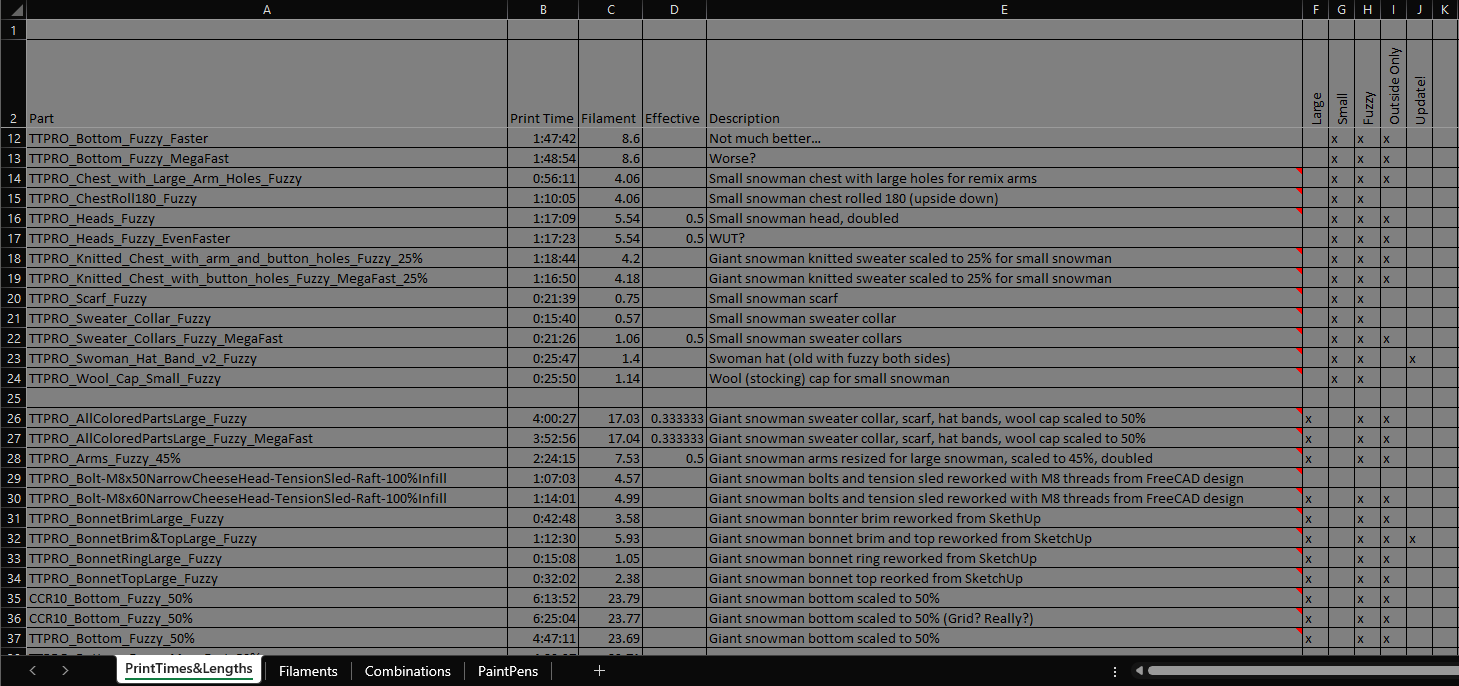
Hopefully I won’t bore you with all the little details here, but I think it’s safe to say an explanation of the process is in order. Worried I’d lose track of all the pieces parts printed and how much filament it took, I created a spreadsheet to track all the combinations and who they were bound for, with an included picture for each of the various combinations used. This helped me keep things straight.
It tracks how much filament it takes to print each part, what color it’s printed in, and how long it takes to print. Using a “matrix” of “checkboxes” to specify each particular combination of pieces that make up an individual snowman or woman, I’m able to label and number each produced. I’ll get into the details in a bit, but I never thought I’d print more than 60 of these!
Originally I meant to record every aspect of how these are made for more video content, but soon realized there wasn’t enough time to both record and produce. Progress is slow but steady. Having two 3D printers doubles the speed and halves the time, but it doesn’t help decide what to print next. It definitely doesn’t help assemble them whatsoever.
What Are You Talking About?
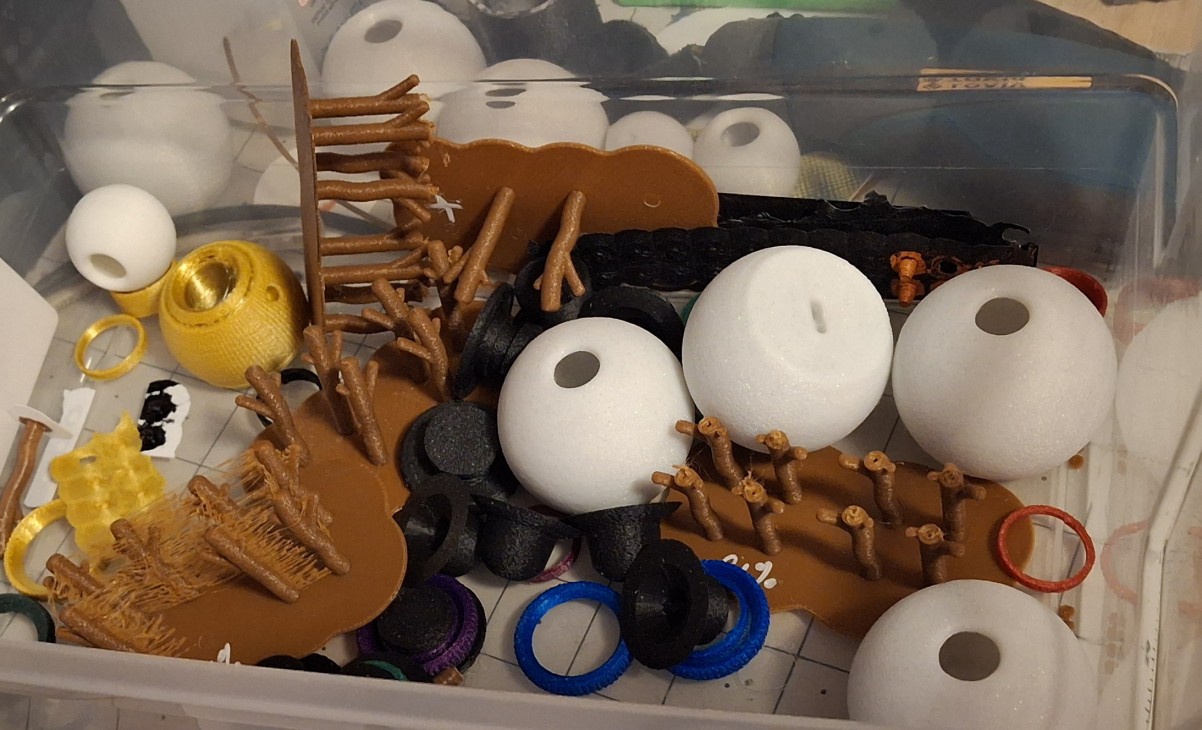
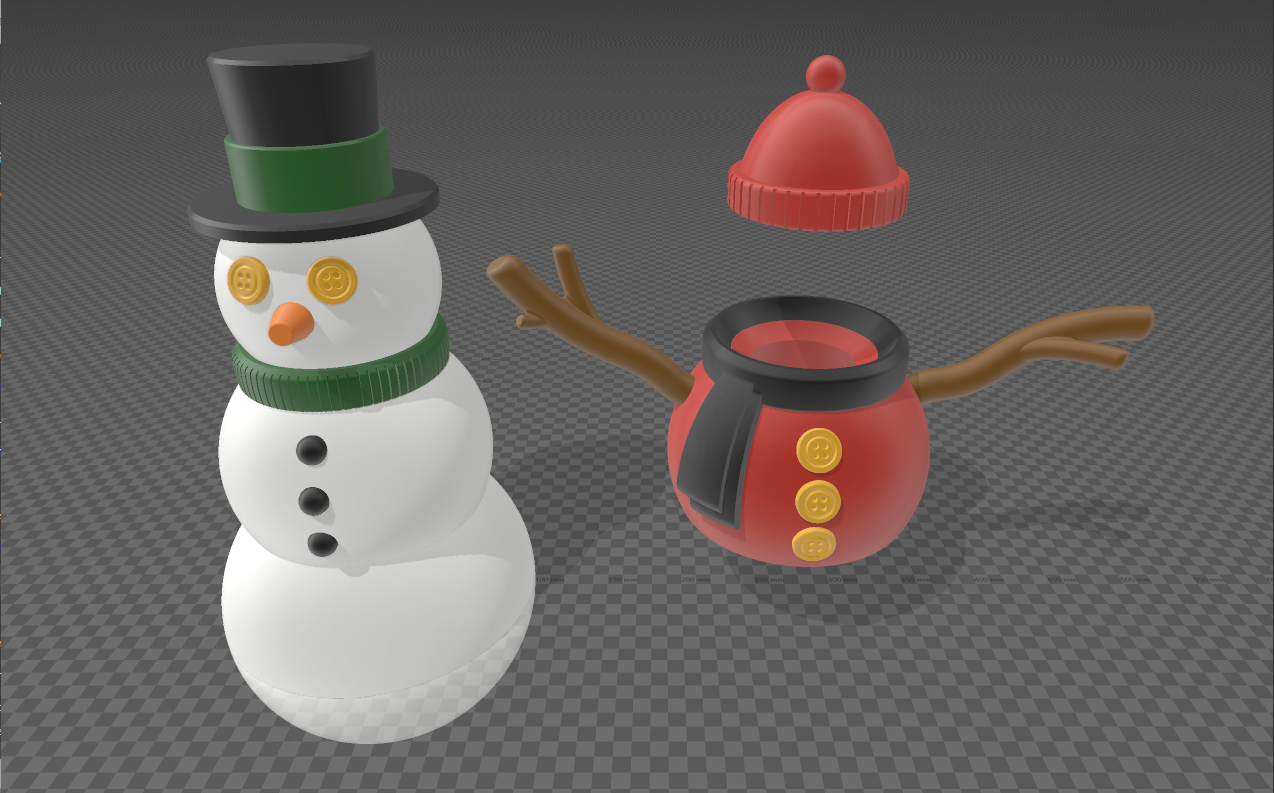
But enough of the general discussion. Let’s talk about what it is we’re making. Then let’s talk about the parts we need to make them. We’re making articulated snow figures, snow men and women to be exact. Large or small, they consist of a bottom, a chest or sweater, a head, a collar or scarf, eyes, nose, buttons, and a hat. They weren’t originally designed with a mouth, but Ann says they need one, so a mouth they get.
The screen shot shows all but two of the overall pieces parts and options available, with only the bonnet and woman’s hat missing. Like the top hat, both those hats have a colored band too. We’ll see those options soon enough. Each of those parts has a “checkbox” column in the spreadsheet, some of them with a corresponding “color” column as well.
Where the bottom, chest, and head meet are designed as ball joints so they can pivot smoothly over one another. They are held together by elastic cord. I suppose rubber bands could be used as suggested, but having just thrown away a box of rubber bands that were too old not too long ago, I decided to use elastic cord. But what size? Good question. Terrible answer.
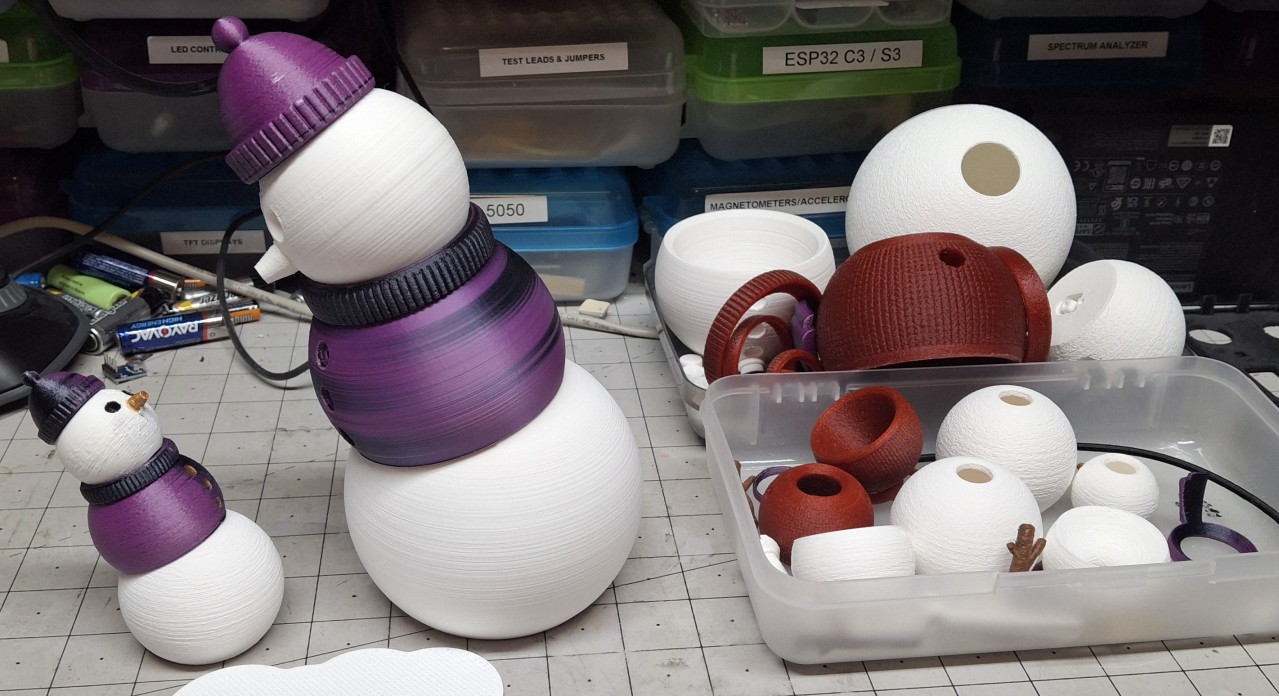
A better answer is it depends on the size of the snowman. For the large ones I chose 3mm cord while the small ones get 1mm cord. The large ones also have a more complicated means of fastening the three articulated parts together. The small ones are pretty straightforward. There’s another funny story associated with those large snowmen that I’ll cover shortly.
Large Or Small?
Before getting into the details of the different sizes, I should mention that the large snowmen are really just half the size of the true design. That’s a decision I made to save time, space, and filament. The “Giant Snowmen” are truly that. Giant. Half size doesn’t really describe the situation. They’re half size in three dimensions, not just one. Twice as wide and twice as tall and twice as deep is really eight times bigger.
Wuddaya mean eight times bigger? Well, 2 x 2 x 2 = 8. That’s what I mean. That math is easier than ½ x ½ x ½ = 1⁄8, but that’s really what’s going on here. As an example, let’s compare how much filament it takes to print the bottom parts of the two. The small bottom takes roughly 8.6 meters (18.2′) of filament. The large bottom 23.8 meters (50.4′) of filament.
Wait. What? You said eight times more. That’s not even three times more! Right. It’s roughly 2.7, but that’s not the point. The simple math assumes a solid object. We’re not printing them as solid objects. They’re thin walled, hollow pieces with about 20% infill material between the inner and outer walls. Comparing the heads gives a factor of roughly 2.3, but it’s still in that ball park.
The knitted sweaters are much thicker and more detailed. At a ratio of about 5.5, the comparison is getting closer to eight. You get the idea. It’s not just half the size. To print the full sized, giant bottom, the Cura slicer estimates 143.8 meters (304.4′) of filament and ~13 hours to print. That’s more than six times the filament of the half size version! Even closer to eight.
There’s roughly 330 meters (700′) of filament on a spool, so only two giant bottoms could be printed before running out. And that 13 hour estimate is probably 2 hours shy of what it really takes to print one. Each spool weighs 1kg (2.2#), so each giant snowman would weigh 2½ to 3 pounds! You can see why I decided to half size them. I may try printing one someday, but not right now!
Minor Oversight, Major Setback
With all that out of the way, it’s time to talk about a minor oversight on my part related to half sizing the giant snowmen. Time for one of those funny stories I mentioned. Time to discuss the differences in fastening these snowmen together. The small snowman is a simple loop of the thinner elastic cord looped through the bottom, chest, and head, then the ends tied tightly together.
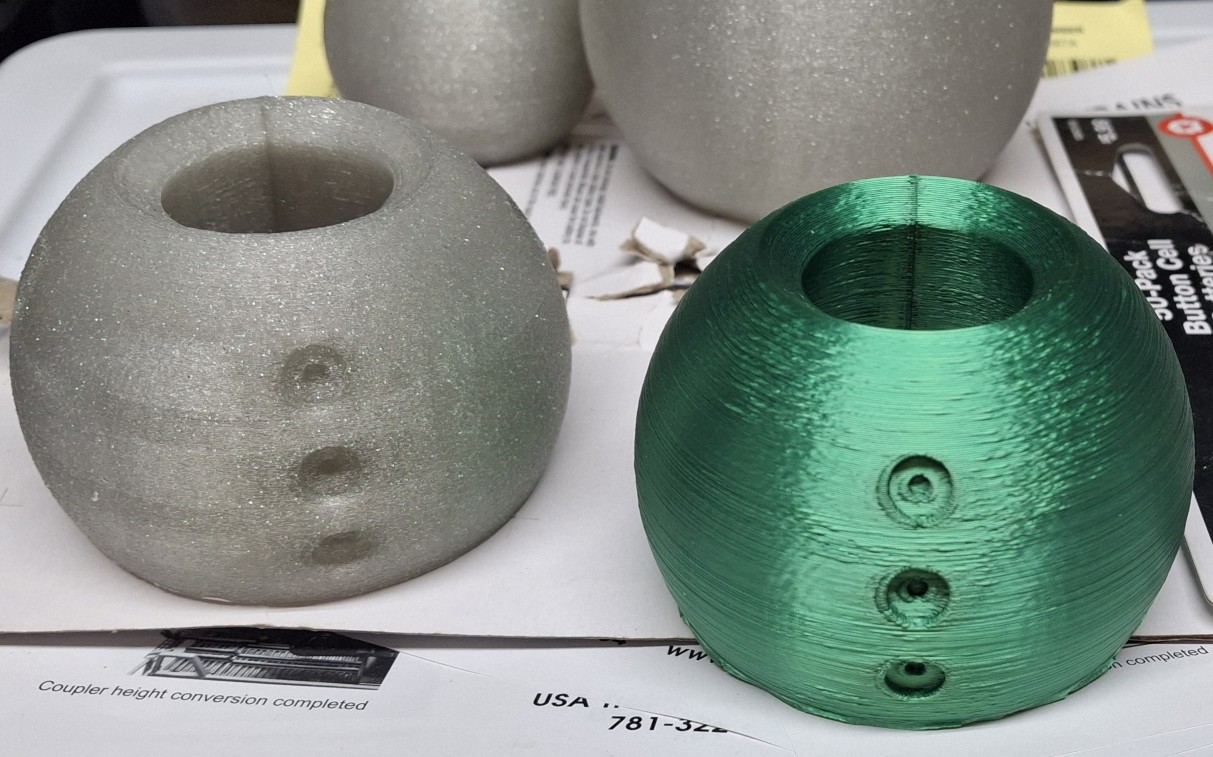
The giant snowman uses a much more complicated approach. The design has a “tension sled” with “cheesehead bolts” threaded into it to adjust the tension on the 3mm elastic cord. The bolts fit through openings in the bottom specifically countersunk to recess the heads. The cord is looped through an opening in the head, the ends passed through holes in the tension sled, then knotted.
The idea is adjustable tension. Tightening the bolts draws the tension sled closer to the bottom, stretching the cord tighter. Loosening them has the opposite effect, relieving some of the tension in the cord. I don’t really have a drawing or cutaway view of this, but may try to put something together later. Let’s just say there’s a reason why it takes more than twice as long to put one together.
Without thinking about it until it’s time to assemble one of these half giant sized versions, it’s soon apparent that bolts and threads don’t half size well at all. The bolts are too big and the threads no longer match a standard size. Oops. Minor oversight on my part. But because my go to drawing program doesn’t do curved features well at all, it’s now a question of learning curve on a new application.
Mass Production
We’ll discuss this setback in more detail later. For now let’s concentrate on what goes into making these creatures, great and small. Once I managed to get both 3D printers working reliably, I chose one to print the white parts, like the bottoms and heads, while dedicating the other to the colored parts, like sweaters, collars, scarves, and hat bands. Other parts are printed in brown, black, or gold.
Typically an entire run of a color includes two each of the small knitted sweaters, a large knitted sweater, then all the other colored parts. I created a slicer project that includes all the small colored parts and one for all the large colored parts. This includes the hat bands for a bonnet, a woman’s hat, and a top hat, along with a collar, a scarf, and a wool cap (I always called them stocking caps).
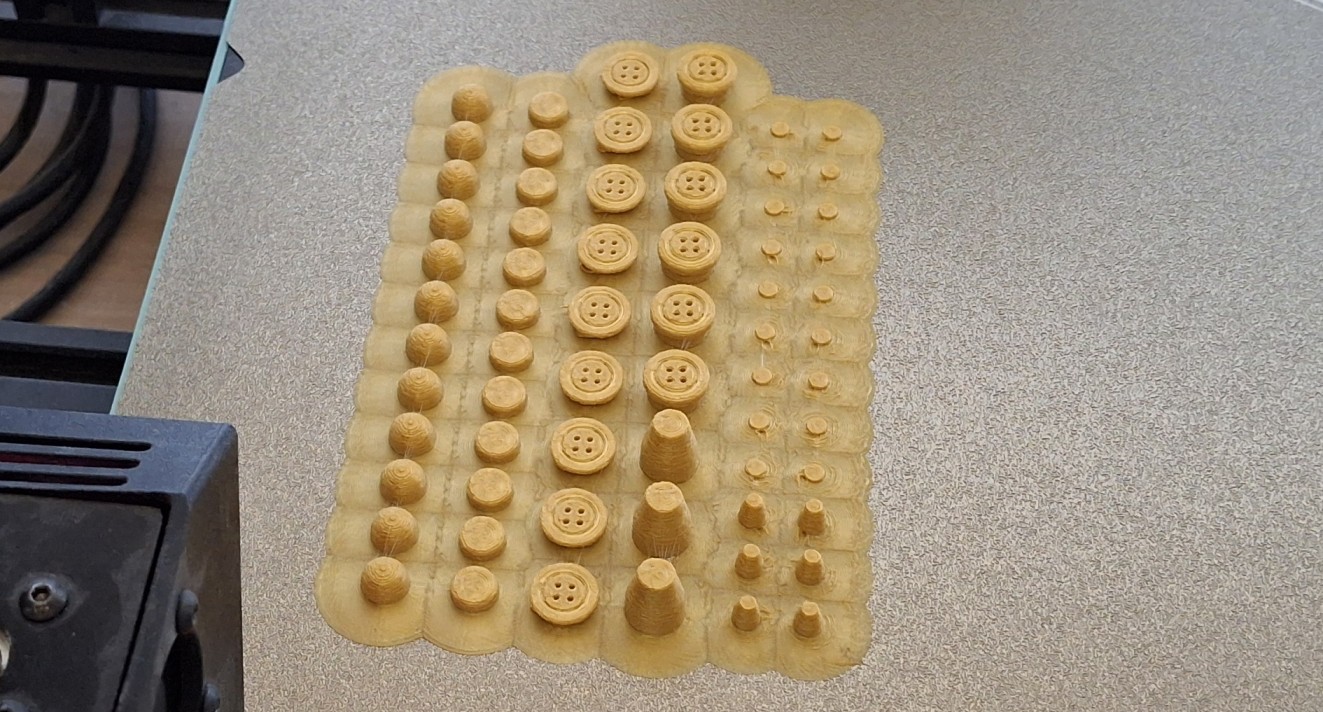
Meanwhile the other printer is cranking out enough of the white parts to match the corresponding colored ones. Between colors, brown is loaded to print a set of arms for the small ones and another set for the large ones. Black or gold is loaded between colors and a set of buttons, eyes, and noses, both large and small, are printed using a brim to contain all those smaller pieces in a single “sheet”.
A brim is usually a means of augmenting build plate adhesion. Here I’m using it to keep all those small parts together in one place instead of just floating around separately in the bottom of a container. Parts usually stick to the build plate, but there are times when they need help. A brim forms a layer of plastic around the part(s) to be printed, multiplying its grip.
The only thing stronger is a raft, basically many layers of plastic built up first before printing the part(s) directly on top of it. It’s typically used for tall, skinny parts, easily knocked over due to their small footprint on the build plate, like arms. The taller they get, the longer that lever becomes, continuing to multiply the small forces until they overcome the adhesion forces.
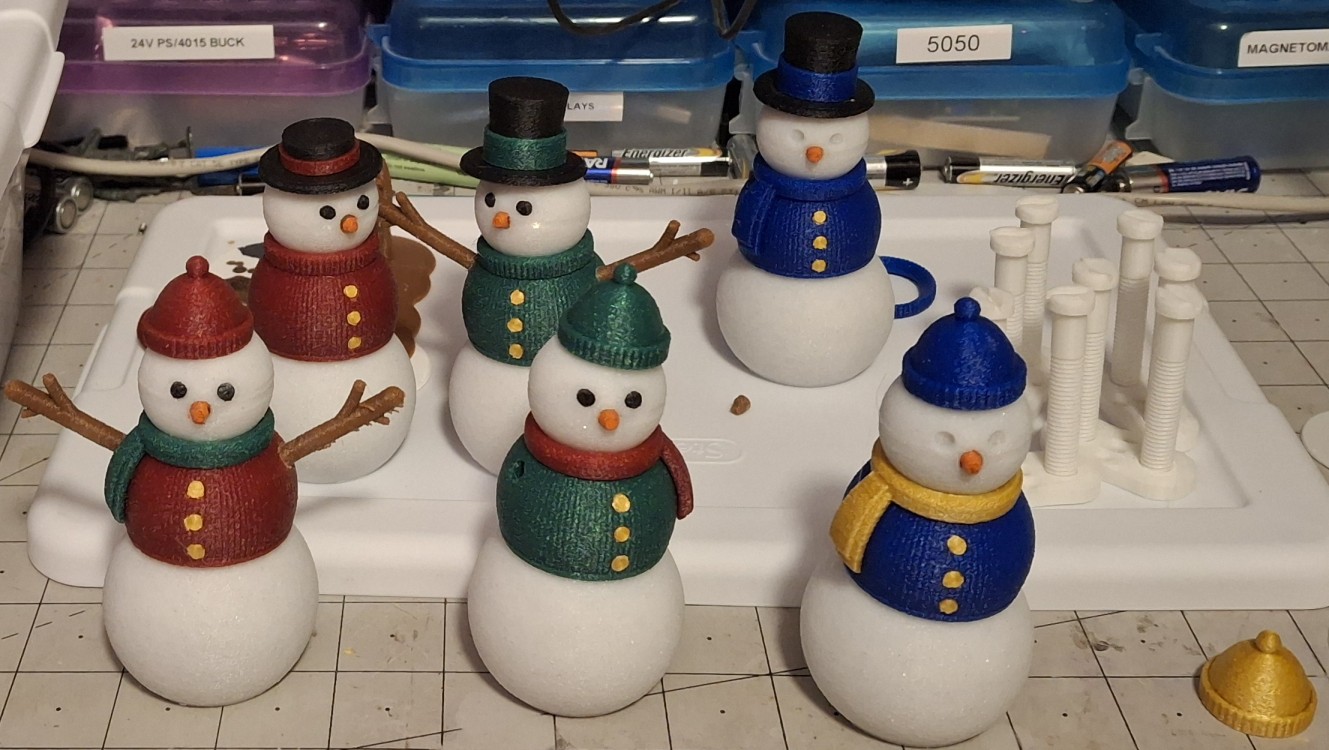
While black is loaded, a set of hats is also printed, typically one each of the large ones and two each of the small ones. This color cycle repeats for red, green, blue, and purple. Another change up is from straight white to glitter white. Each color cycle produces enough parts for one large snowman and two smaller ones. The extras can be mixed and matched, like a scarf leftover when a collar is used.
Preparations
While waiting to work out the tension sled/bolt dilemma, I assemble the small ones. The very first ones I actually painted the color on with a blue paint pen while I waited for the colored filament to arrive. I bought it to paint the wheels to match the B&O Royal Blue paint scheme on the passenger cars. The blue didn’t match, so I figured time to get some use out of it.
I already had other paint pens, like black, red, white, silver, and gold. The arms were originally printed in black, then painted brown since I couldn’t easily get to my old spool of brown at first, buried beneath the other bins of newer filament. I also have a brand new spool of orange filament, but rather than open it up just for printing noses, I opted for an orange paint pen instead.
I had to order the orange paint pen along with the colored filament. I ordered a set of oil based paint pens that includes orange. I had some ink pens already, but ordered some “Gelly Roll™” ink pens, unsure which would work best. Turns out the pens I had washed right off when I labelled the dogs dishes for Ann. Kind of sad when it’s supposed to cure and dry permanent. Oil based it is.
Trying to paint the band on that black, one piece top hat, I came to the realization that I needed a three part top hat “remix”. While it didn’t look terrible, it was obviously painted on, with color where it didn’t belong and missing where it did. The pen says fine tip, but not fine enough. While looking for a multipart top hat remix, I came across the bonnet and woman’s hat as well.
The hat remixes take some fine tuning to get the color bands and other pieces to fit together. The only thing I can’t fix in the slicing is the hole in the top of the woman’s hat. It’s designed that way to allow access inside the hat for the looping the elastic cord, but it’s unsightly and draws my eye. Knowing SketchUp’s limitations with curved features, it will have to work for now.
Overpopulation
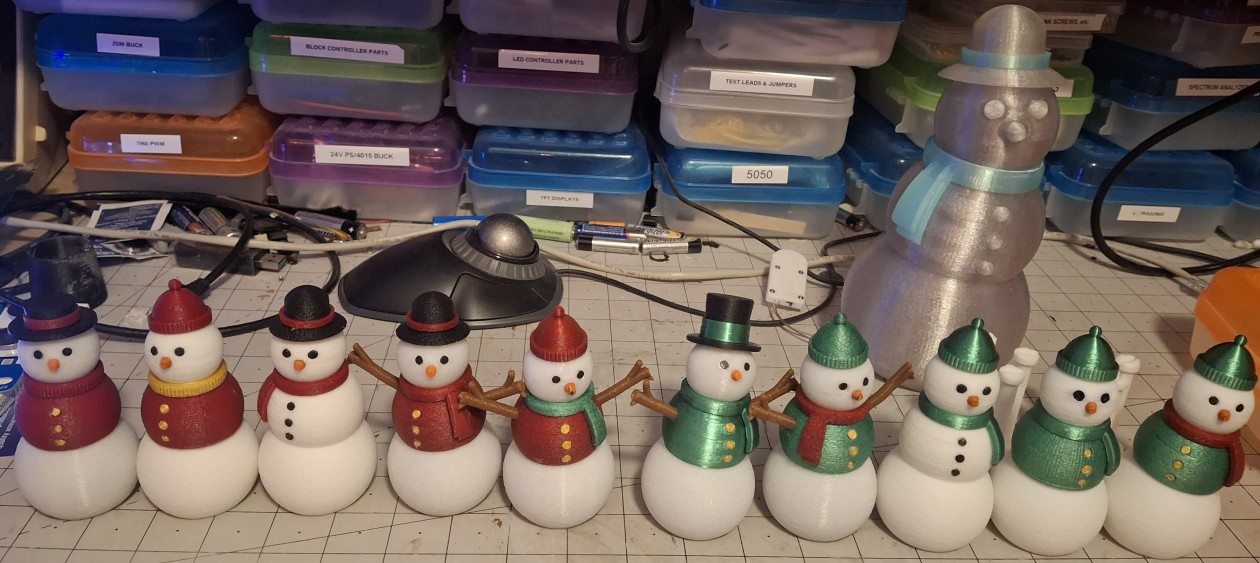
The multicolor black filament arrived first, but it only took one print of each size to know it wasn’t what I thought it was going to be. Next to arrive was the aurora red and silk green, followed by aurora blue and abyssal red. Because of the long lead time on the aurora green, I ordered some Elegoo sparkle red and green, but the green is way too dark.
I thought the abyssal red was more purple than it actually is, prompting the aurora purple the next day. The aurora green and glitter white filament had long lead times and didn’t arrive until the day after the purple. I somehow managed to confuse myself when I ordered the glitter blue and ended up with another aurora blue a week later!
The only problem with all this filament is I now want to print some in every color. And so the population explosion begins. Two of the painted blue, two of the aurora red, one of the abyssal red, one of the sparkle green, one of the aurora purple. Then two of the aurora green, two of the aurora blue, two more aurora red, and those were just the small ones!
Add at least one of every one of those colors in the large format, two more in aurora red and aurora green! By now I’d figured out how to use FreeCAD to get a working version of the tension sled and bolts and began assembling the big ones too. Just one at first. Then another. Then another. It wasn’t long before Ann was telling me, “Don’t make any more of these. We have enough already.”
Ruby red is the only other color I ordered, not counting the two different browns with what I had left of the dusty old brown dwindling, arriving with the second aurora blue. I got the ruby red thinking it was silk and would match the silk green, once I realized how it really shines when printed without the fuzzy option. But it’s not silk at all, more like the aurora red, but without the sparkles.
Adding Details
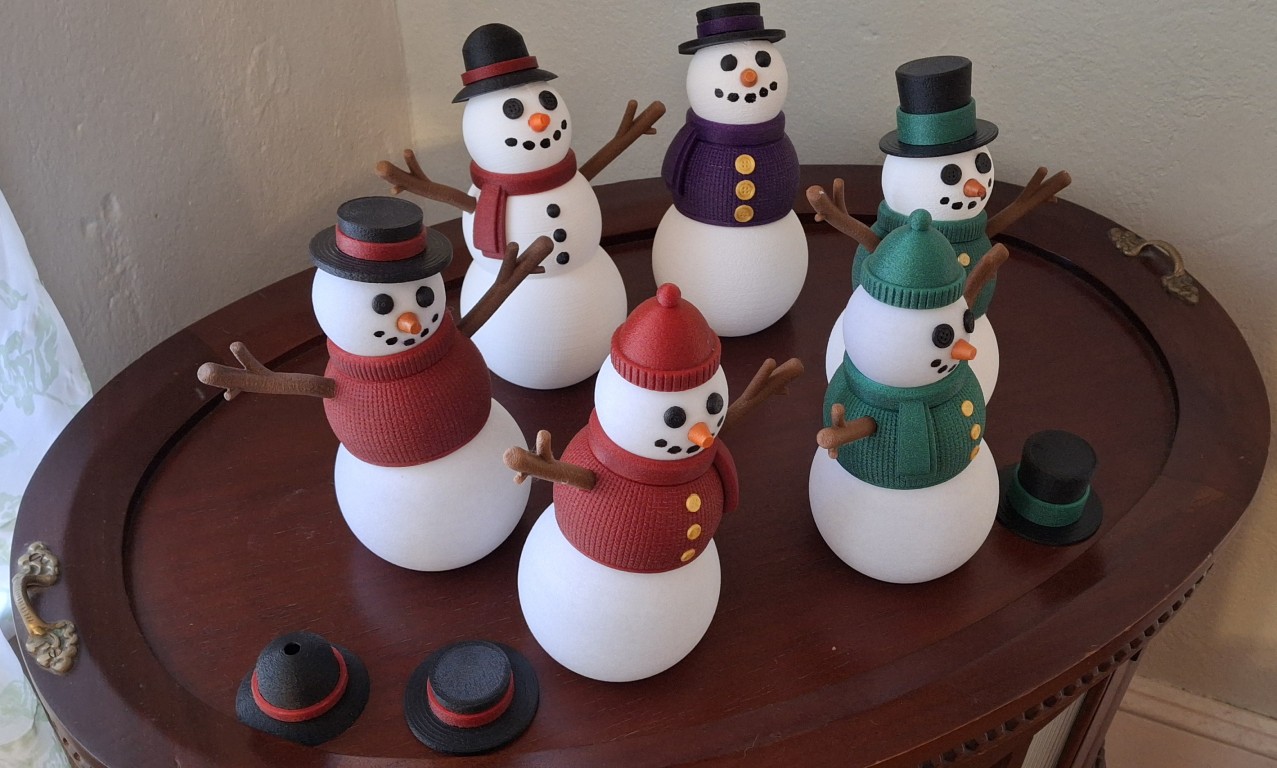
In the pictures you may have noticed their mouths were missing. The original design doesn’t include a mouth, presumably because it would interfere with fully articulating the head to look down. But per Ann’s decree, they must have a mouth. And arms. She really doesn’t like the ones without arms. The chest or sweater can be printed with or without arms and the sweater with or without buttons.
I started out just dotting them in with a black paint pen, three or five “lumps of coal” at a time. After adding mouths to the first few large ones that way, I decided to try my hand with the 3D doodle pen. It’s a pen that “writes” with molten 3D printer filament as the “ink”. It takes practice to be able to do anything with it, let alone control it.
It’s meant for kids to doodle and draw with plastic. Not sure what age I’d let my kid handle something nearly as hot as a soldering iron, but that’s pretty close to what it is. I can remember the “Thing-Maker” from my childhood, that used a set of die cast molds of bugs and whatnot that you filled with a liquid rubber-like compound, then heated to vulcanize and cure it.
Between that and the easy bake oven, toy makers (Mattel) certainly depended on parents to carefully monitor their children to keep them from getting burned, apparently unafraid of the lawsuits that plague us today from people refusing to take responsibility for their actions. Anyone from my generation is used to the “Bet you won’t do that again!” response from our parents to an injury.
Anyway, it takes me a few minutes to remember how this 3D doodler pen works. I haven’t used it since I tried to use it as a “plastic welder” of sorts, thinking the molten plastic would somehow fuse with the surrounding parts to be joined. Maybe a better quality model would work, but “solvent welding” works much better. Sounded like a good idea at the time.
I quickly learned to place a dot and let the filament finish oozing while “swirling” the tip around the molten blob while it cooled enough so as not trail strings while moving to place the next dot. It works surprisingly well for the large snowmen. I still end up with some strings that need trimmed off with the flush cutters, but at least it looks good, like it wasn’t an afterthought.
Armed with my success, I tried it on a couple of the small ones, but it’s almost impossible to keep the dots small enough. I’ll stick with using the paint pen for them.
Adding New Variations
The glitter white quickly dwindling, I decided to look at some alternatives with its significantly long lead time. I found glitter silver, mint star stuff, and funfetti. They arrived just before Thanksgiving. I found the twinkle transparent as well, but it arrived several days after the second spool of glitter white I was worried about! Round two of the population explosion begins.
I printed two each, large and small, using the glitter silver, but they seem too dark. They’re waiting for future enhancements with fairy lights or LEDs or something like that. Once I realized the silk green would be shiny if I turned off the fuzzy skin in the slicer, I was amazed how much it looks like a Christmas tree ornament. That got me wondering how shiny the gold would look.
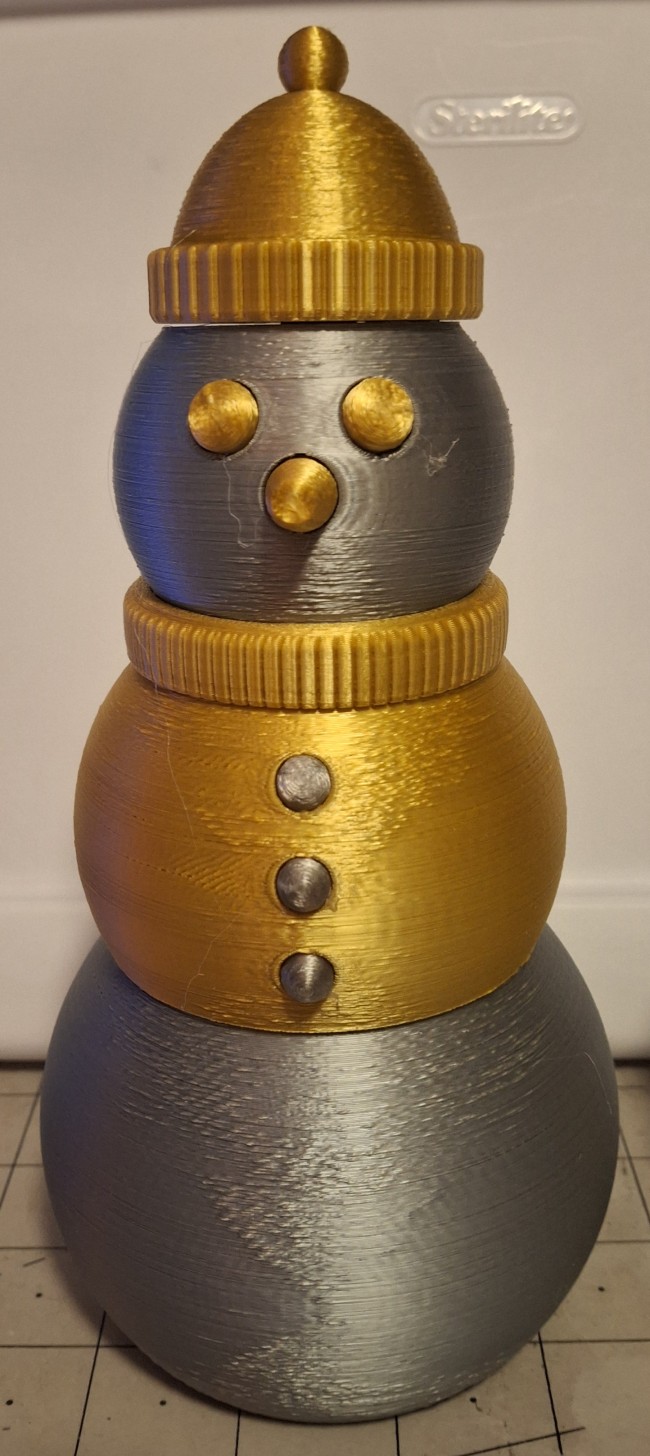
Inspired by the shiny silk green and the Burl Ives rendition of “Silver and Gold”, I decided to try printing shiny silver and gold parts. Now I have large and small versions of “silver and gold” snowmen. The Mika3D silk gold looks as shiny as the HP3DF silk green, but the Mika3D silk silver filament leaves much to be desired. I may as well have printed it using standard gray filament.
Between the lackluster silver and no arms nor mouths, Ann didn’t care much for them either, but they’re sitting on the mantle next to the clock anyway. Nick also commented that the luster may depend on print temperature as well. I did print some of the tensions sled/bolt combinations with it, and the more I printed, the shinier it looked.
I mistakenly bought another box set of the Mika3D silk silver, gold, and copper in those blasted half kilogram spools. I also bought some full size (1kg) Sunlu silk PLA+ silver and gold, as well as silk PLA+ copper. I may try mucking with it more later. For now I have plenty of shiny silk gold and silk green spare parts to mix and match with!
Shipping Concerns
I had already started thinking about how to divide them all up and how to ship them. I certainly have enough empty Amazon boxes with all the fairy lights and strings and battery holders I ordered. Ann didn’t know I planned on sending most of these to family and teammates at work, but when she told Nick, he brought up a good point about PLA’s temperature sensitivity.
PLA doesn’t tolerate temperatures much above 120°F (50°C). Well shit. Nothing like overlooking the most obvious shipping concern! Online research ran the gamut from, “I ship PLA prints all the time without any special accommodations and haven’t had problems ever” to “I recommend foam insulation and cold packs”. Well, isn’t that special?
I went middle of the road, slicing up most of the rest of the blue foam insulation that my Large Scale Online score was shipped with, more for protection than temperature concerns. I figure why not kill two birds with one stone and protect from both heavy handling and temperature concerns. Now how to divide them all up?
For my teammates, I selected nine of the large ones that just fit in the largest box I had, and 8 of the little ones each in both the smaller boxes. I figured dropping them off on the 12th would pretty much guarantee they would arrive by the middle of next week. My boss’ boss said he would be in that week, so I figure no problem.
First thing I’m told after my twenty minute wait in line is all three boxes need a return address. I was about to say they already have one, then looked down and realized I printed them out but in my haste to get out the door that morning hadn’t attached them! He asked me to step aside while I wrote them on with a sharpie, so he could “help other customers”, as he put it. All one of them…
But watching him place the big package through the window into the back and the other smaller boxes just placed to the side with the pile of all the other small parcels, I had a feeling those smaller packages weren’t going to make it there in 2-5 days. I brought up the tracking link when I got home and it says delivery’s expected the following Friday? Guess we’ll see, but 7 days is NOT 2-5!
Not So Funny, Funny Story
I only had two more of those smaller boxes but needed a third, two for my brothers and one for my dad. But the bigger problem is even with all those snowmen and women I printed, I need two more large ones and four more small ones. Nick said he may have a box that size and a couple days later I had the three boxes I needed. Now I just need the snowmen to put in them!
While it’s not a panicked printing frenzy, I don’t have much time to print them. Two big ones is at least two days of printing, even with two printers, not to mention the aurora red and aurora green are already pretty close to gone. But it all worked out in the end and I had everything I needed.
I managed to get everything boxed up and addressed and down to the post office after my doctor’s appointment the morning of the 16th. So back to that not so funny, funny story about the post office. The funny part was I mailed these boxes going to Ohio (near Cleveland) four days after the ones going to Michigan (near Detroit) but they were delivered the same day!
Dad’s got there two days later, much like I expected since he’s not even one hundred miles from us here in Florida. But those four smaller boxes sat in Indianapolis for days, the ones bound for Michigan four days longer than the ones bound for Ohio. All four arrived the 20th! It took eight days to get to Michigan and only four days to get to Ohio for the same size and number of packages!
Pretty funny, huh? Yeah. I didn’t think so either. Guess my teammates will get their Christmas presents next year when they’re back in the office. Somehow better late than never doesn’t fit this scenario. Both my father and father-in-law worked for the Post Office. My grandfather as well. When he went to serve in WW II, even my grandmother did when she took his place.
I think you can understand why I would choose the Post Office over other shippers. After this, next time I’ll think twice.
Taking A Breather
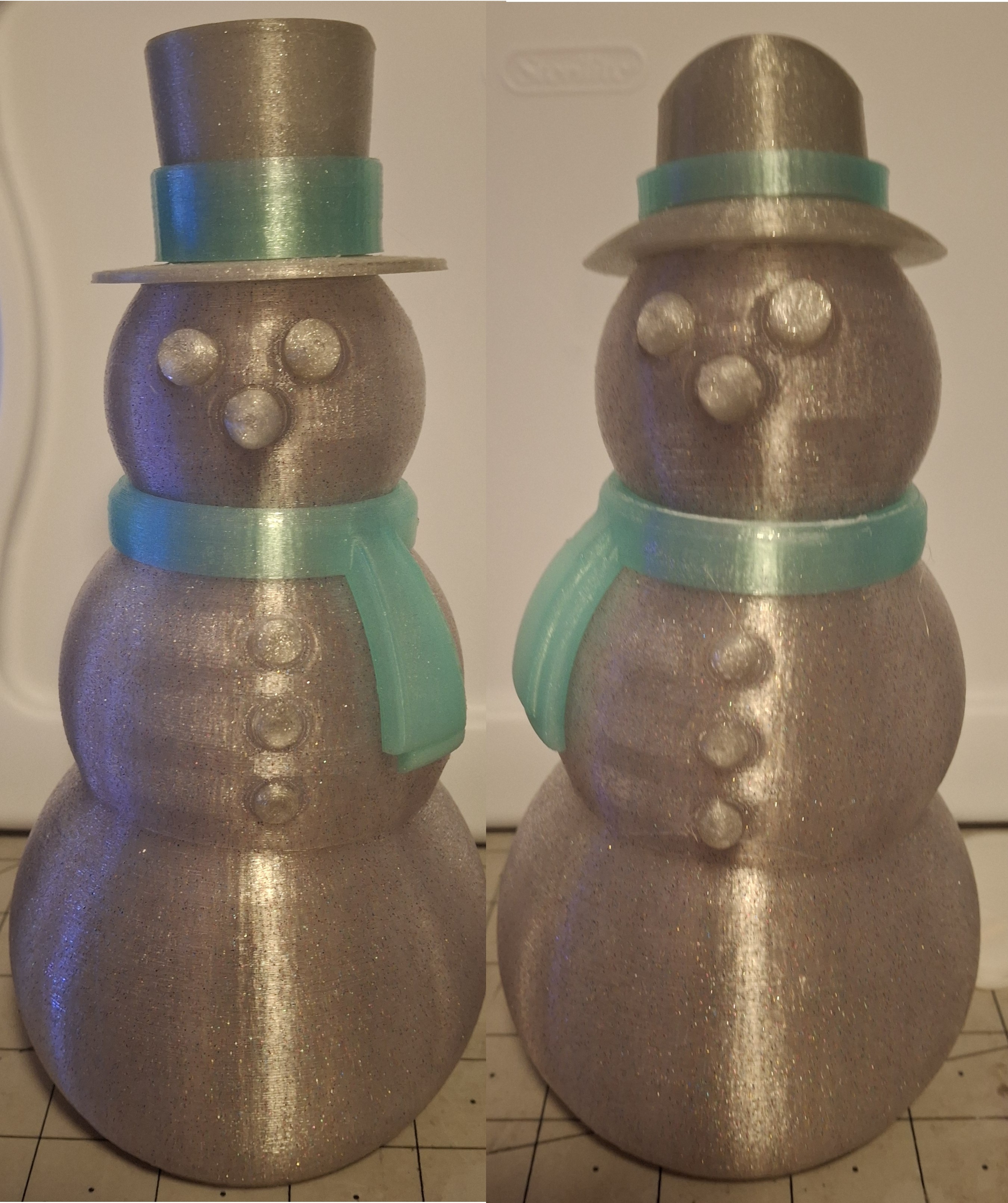
The printers sat idle for a day or so until I started printing more of the translucent filaments. The initial glitter silver ones seemed too dark. The funfetti ones seemed to be brighter and more colorful. I decided to print the buttons, eyes, noses, and hats out of the darker glitter silver and the scarves and hat bands out of the mint star stuff. Good choice!
I modified the slicer settings to print without the fuzzy option and set to no infill to boost the translucent aspect of the parts. Another good choice! With the idea of embedding fairy lights inside of them, the last thing I want to see is shadows from infill or scattering from a fuzzy surface.
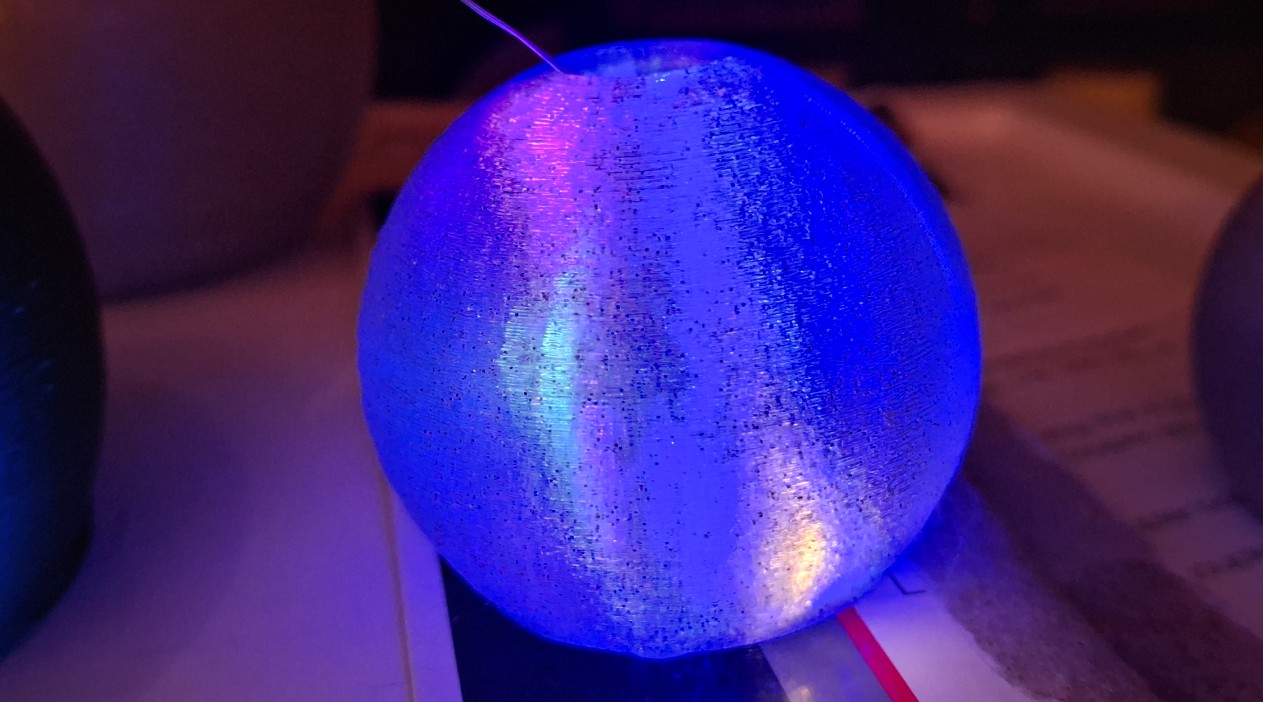
My first attempt I wouldn’t even call a prototype. I just stuffed the lights inside with the battery pack dangling behind from between the the bottom and chest, but it looks great! My only complaint would be it looks like Easter colors, not Christmas colors. I had already ordered red, green, and white ones, but they ended up being something different from what I expected.
The other ones were long lead and I didn’t have them until after the last of the filament arrived. I tried a set of warm white ones too, but it looks too bland, like it has a bunch of white fairy lights inside. Nothing special. Since I got a late start on these, it’s going to take more experimentation and work to get them finished.
Christmas “Vacation”
Now that I’m on Christmas vacation until next year, I have the time to work on them, but Ann has other projects in mind. Scheduled even. But that’s okay. We had talked about them already. Projects like installing the new glass doors on the shower and skidding the shed to replace the rotted wood framed subfloor with HexPave and gravel.
My first day of vacation Nick and I went to see Ann sing with the Lake County Ladies Chorus up in the Eustis Memorial Library. It was her last concert, so it was now or never. The only disappointment was going out to eat afterward. Our first choice accosted us with a fowl smell as we walked in. Once we were seated, Ann didn’t want to stay, so we left.
Then our old standby, Mellow Mushroom served our pizzas cold after making us wait forever! Thankfully they took them off the bill but we were able to bring them home and heat them up. Not sure what happened, but it certainly wasn’t a pleasant experience. At least we not hungry anymore.
There are actually two shed projects. The first is a new, smaller shed for Ann to store all her lawn and garden tools in, but it needs assembled. We finished that in a day. By mid afternoon no less! That allowed Ann to move the things she needs to get to out of the old shed and move them to her new one, freeing up storage space for the overflow in the garage from the other house.
Both the shower doors and skidding the old shed took just a day each to complete as well! But after skidding the old shed and replacing the subfloor, it took us both a couple days to recover. We both overdid it. At this rate, I’ll need to go back to work to get some rest, but at least it’s done and we can move on…
Once recovered, I moved all the plywood that’s always in my way out to the shed. Next was all the bins of plumbing parts and the plumbing tool boxes to the shelf unit in the shed. I can get to the back part of the garage again! And I now have the entire space beneath the benches on the back wall free to store other things. Maybe even add more drawers for railroad cars.
Adding “Gadgetronics”
I took advantage of that “recovery” time to work on the gadgetronics. In anticipation for adding lights to these translucent snowmen, I had already bought an large assortment of different fairy lights, all battery powered. I even bought some Christmas light strings, complete with remote control! But like most things online, I don’t know what I’m getting until I have it in my hands.
The various 20 LED fairy light ones are absolute junk. At least the “controller” is, if you can even call it a controller. It’s a small circuit board with a small push button and a three LR44 cells in a snap lid plastic holder. There is a single chip that controls the LEDs. First push of the button starts the LEDs quickly flashing. Second push, slowly flashing. Third push, solid on. Next push, back to “off” (standby really).
The other variations on this theme I thought were 10 multicolored strings, not 10 strings in sets of two all of the same color, in five different colors. Those have a twin 2032 coin cell holder with a simple on/off slide switch. I like the simple on/off better for the snowmen. The flashing ones would work better for decorations.
I also ordered an assortment of various coin cell holders, rechargeable coin cells, and the charger. If it’s battery powered, the batteries won’t last forever and will need replaced, or recharged if it’s a coin cell. Unfortunately, none of them last more than a day before they’re too dim to be seen except at night, lasting only a few days more before finally dead.
When I replaced the three LR44 batteries in the makeshift funfetti snowman fairy lights, it worked all of a few seconds before the controller fried. Well, it’s not totally fried, but it’s useless. The LEDs light brightly while holding down on the button, but then goes into the next mode, just dimly lit. Great. Batteries dead in no time at all AND it’s single use!
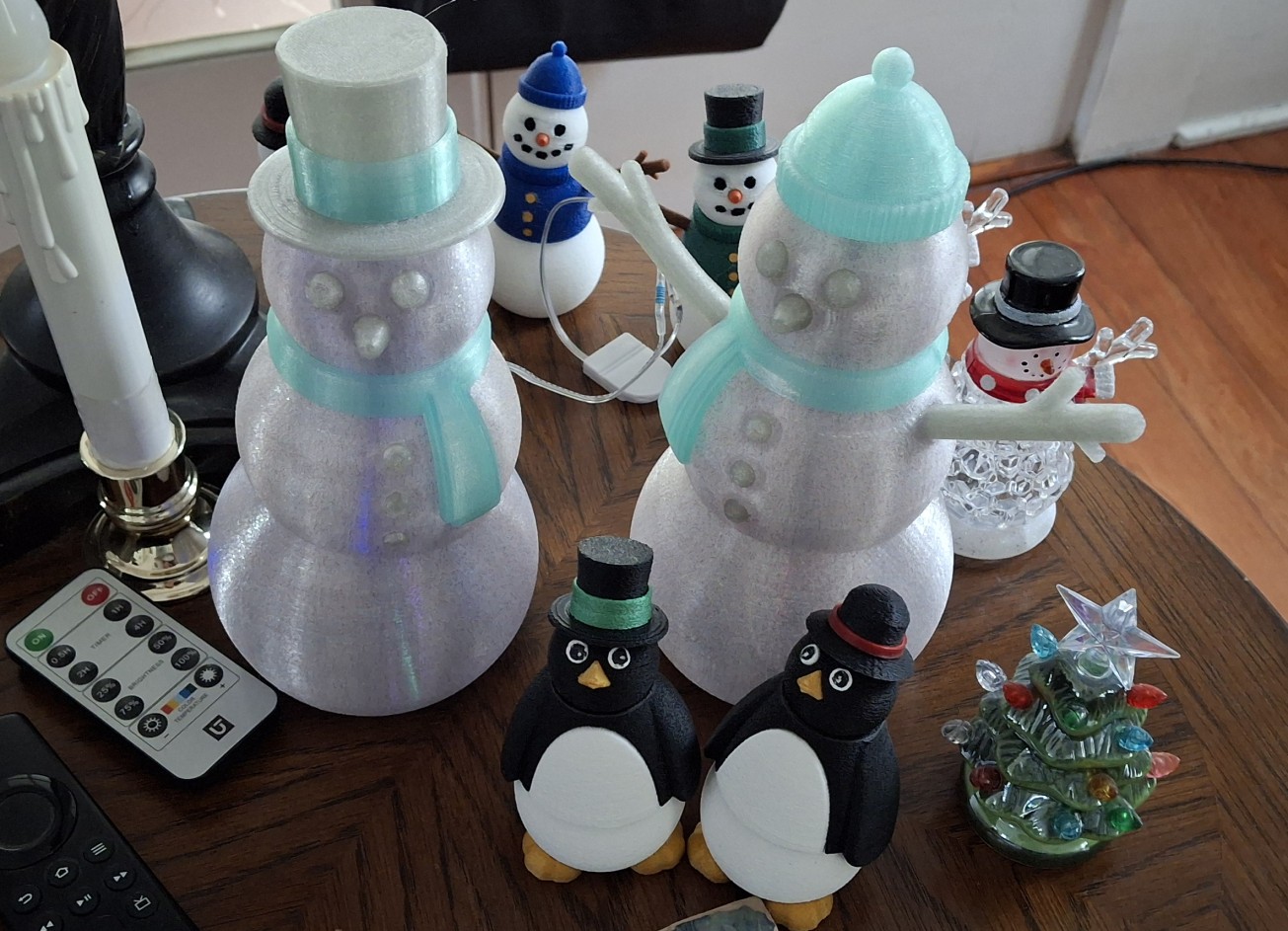
Finest Quality “Chinesium” Junk
Only the finest quality “Chinesium” junk to be sure, but I didn’t expect anything different when I bought them. The warm white 2032 coin cell fairy lights only last about a day before dimming as well, but at least there aren’t any delicate electronics to fry. I replaced the two dead cells with a pair of rechargeable ones, but they only manage a few hours before they’re dead!
I should have experimented first, then ordered the battery holders. Now I have dozens of “useless” coin and button cell holders. Well, I put at least one of them to use by replacing the fried electronics LR44 one with a single 2032 coin cell holder. A rechargeable 2032 cell doesn’t last an hour, but it’s much brighter! Something’s going on here that needs further research.
The standard cells are like 3.0 – 3.3 volts, but the rechargeable lithium cells are truly 3.7 – 4.2 volt lithium cells. That would explain the extreme brightness. Now I’m suspicious that these cheap Chinesium pieces of junk don’t even have a resistor to limit the current. A quick experiment with my bench supply confirms it.
And a quick calculation based on a 5 volt USB supply yields a value of 90Ω for 20mA. I choose 100Ω since I have those on hand. A quick check using a USB tester tells me 5.23 volts, but it only registers a current of 30mA occasionally, like every third or fourth sampling. Not sure why something that’s designed to measure USB current can’t. More cheap Chinesium junk!
No worries. I’ll do it the old fashioned way, using Ohm’s Law (V = I*R). Measuring the voltage across the 100Ω resistor, I get 2.3 volts, divide by 100 gives 23mA. Close enough, but I still can’t explain how 20 of those LEDs in parallel only draws 23mA of current at 3 volts. It does explain why a 45mAh cell only lasts about two hours with a limiting resistor though.
I’m assuming the reason the standard coin and button cells don’t discharge as quickly is the internal resistance of the batteries themselves. But I’m guessing. Moving on to the small translucent snowmen…
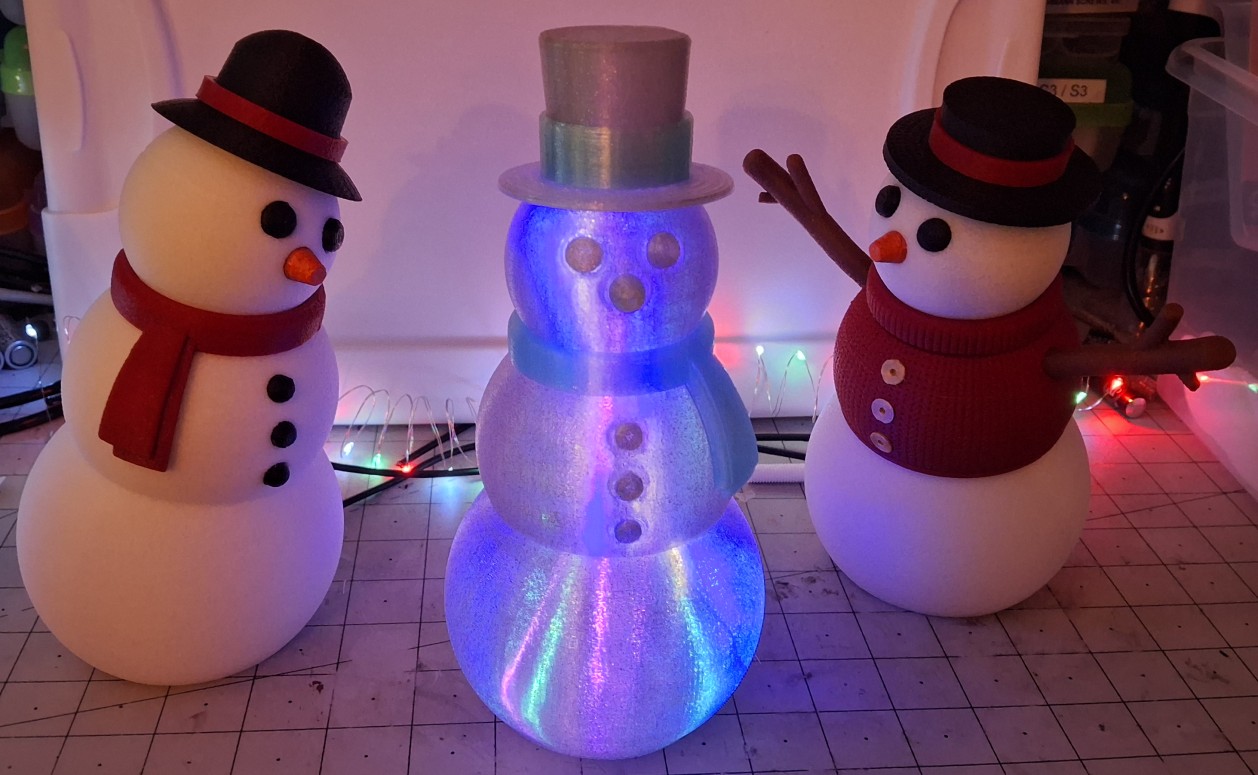
Breathing Snowmen
Alright, I know snowmen don’t breath, save Frosty perhaps. I’m talking about inserting one of those “breathing” LEDs that cycle through different colors. In fact, I have two types, slow and fast. I choose the slow one to start with, pairing it with a limiting resistor and a single coin cell holder. Unfortunately I get the same behavior with standard and rechargeable cells that I did with the fairy lights.
I even try recharging the standard cells, which Nick tells me he already tried and it doesn’t work. For the most part, that’s the same results I had. Most of them say they’re charged, then immediately discharge when used. I found one that would charge to 2.8 – 2.9 volts, but after about an hour, it’s back to the 2.5 volts it was at before charging. Better than the others, but still not good.
By now the red and green fairy lights with those easily fried LR44 controllers have arrived. In fact, the very first one I turn on is already fried! Wow. Just wow. Words fail me. The next one works, but who knows for how long? First order of business is to insert a current limiting resistor inline with the battery pack to (hopefully) avoid frying yet another one.
This time I drill a hole in the bottom of a large translucent snowman and insert the fairy lights from the bottom. I settle on nine LEDs in the bottom, six LEDs in the chest, and five LEDs in the head for a grand total of twenty LEDs in the string. If you’ve never worked with these fairy lights, it’s hard to describe, but “they have a mind of their own” doesn’t do it justice.
Once they’re in there, it really doesn’t matter though. All that’s left is to hot glue the battery pack to the bottom on the backside where it’s out of sight but still convenient and accessible. It looks Christmassy and all, but I like the other colors better. And a few days later, the batteries are pretty much dead, right on schedule. I’m not replacing the batteries this time though.
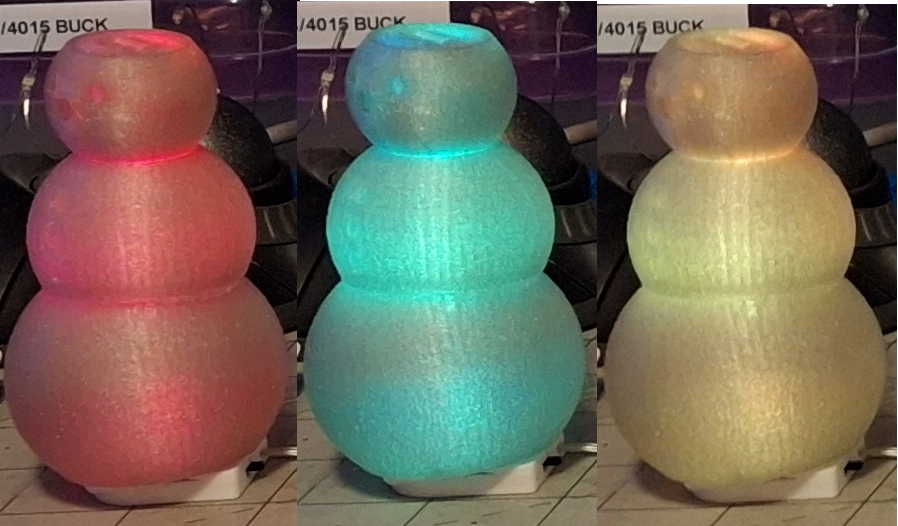
Adding Reliable Power
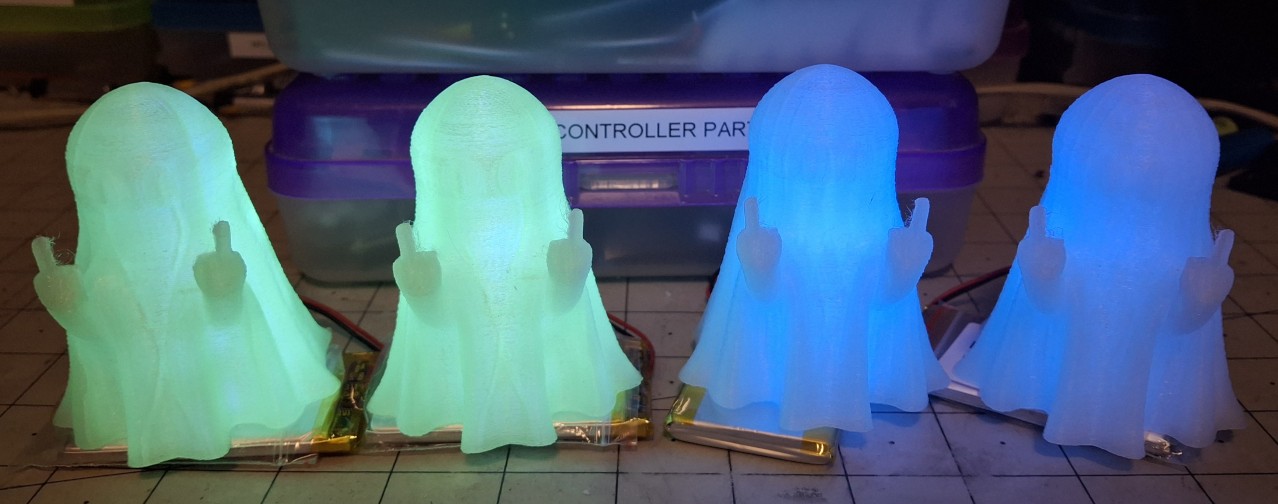
Another nail in the coin and button cell coffin. Time to switch gears to lithium battery or USB power. Time to switch to the approach I used for the Halloween Glow-In-The-Day Ghosts. For those I used an XH (2mm pitch) JST connector that mates to the flat pack 2000mAh lithium cells I have. The nice thing is I can use the USB micro adapters I already have too.
If I thought assembling the large snowmen was difficult, I hadn’t tried to do it with 20 fairy lights and all the wires inside at the same time. But even worse is trying to record how I did it. The most frustrating part was all the issues I didn’t have until trying to record it. It’s the first video I recorded where I finally just cursed! And I cursed up a storm too!
Looking back, it’s funny now, but it certainly wasn’t at the time. I’ll have to speed up that part of the video, like a time lapse, maybe with some 2KHz bleeps and test patterns to add some comic relief. Running out of time this year to post another “rough cut” though. Just adding this blog update has taken two days. Hard to manage everything and get it done when it’s just me doing it.
All I know is I need to get this online stuff finished and out of the way so I can get back out in the Barkyard. I still have another week of vacation left, so it’s time to get out there and make it count. I don’t have any delusions of getting everything together, back up and running trains, but every step in that direction is a step in the right direction!
For now, I have six of those large translucent “Funfetti” snowman that are lithium battery powered. Four of them with the original colors and two more with the red and green Christmas colors. The four with original colors have been going for over a week now on the same cell and the same charge. I finally had to swap one out last night and charge it.
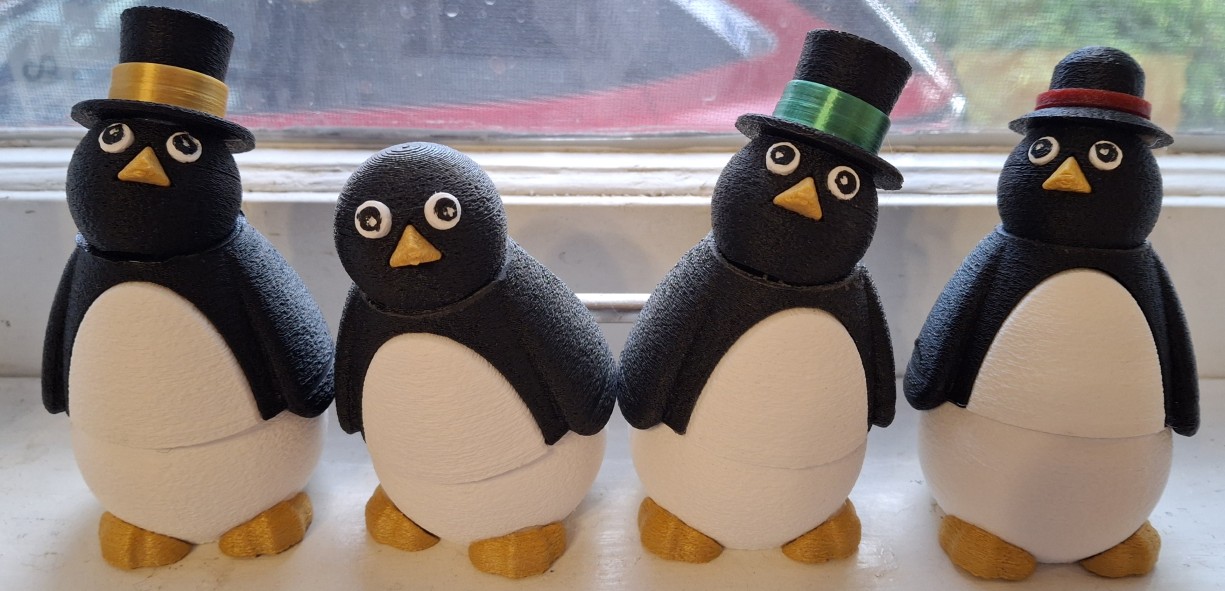
Posable Penguins
You may have noticed the penguins in the picture above. They’re posable like the snowmen. I didn’t print many of them, but enough of them Ann had to tell me we have enough of them. Like the snowmen, it takes some dialing in to get the sizes right. The white part of the chest fits into a black second part, or at least it’s supposed to. It takes a couple tries to get it spot on.
The eyes and the beak fitment to the head is another area of trouble. For whatever reason, they don’t fit, no matter how hard I try to hammer them in place. Don’t laugh, I actually did that with eyes, buttons, and noses for the snowmen. But that was to accomplish a press fit where all those fiddly parts would stay in place and didn’t need glued on individually.
Next problem, the bottom of the eyes are to be printed in white, then filament swapped to black for the top layers. I’ll be painting them since I can’t see swapping filaments for every pair of eyes. Maybe if I’m making dozens of penguins and printing a bunch of eyes all at once, but I’m not. Maybe next time, if there is a next time, but not this time.
I’m printing the eyes together with the only other white part other than the bottom, and the chest doesn’t call for a black stripe across its bottom. It also needs a brim to print, which further exacerbates the eye fitment. One saving grace is it’s a lot easier to add the black part with the paint pen when they’re attached to a large handle like that brim.
The beak is the most difficult part to dial in. It’s a triangular pyramid shape, and so fiddly I can barely hold it in my fingers without launching it somewhere across the room. Usually it’s heading to the floor at least a couple times before I can get it lined up where it fits on the head. Hammering it place doesn’t work and only sends it flying further across the room.
I end up using a pair of slip joint pliers to “press” the beak into the cavity in the head. It snaps in place kind of like parts in a “snap fit” model kit. Doesn’t matter if I press the eyes or hammer them, they always end up getting marred and need touched up with that black paint pen anyway. The noses on the snowmen are the same way, always needing an orange touch up.
With the nose size dialed in, I can add it to the feet in the slicer and print them in gold. The feet get hot glued on the bottom and the beak is a press fit. At least for now it is. We’ll see how long it is before one falls off. So far, so good. I was worried at first where to find a slightly off yellow filament to print them with until it dawned on me to try the gold. Works like a charm.
Other than printing a few last minute parts to finish up the translucent snowmen, the printers have been silent for days now. My OCD is constantly telling me I need to be printing something else, but I resist the urge best I can.
Taking The Leap
So back to the oversight discussion. This dilemma presented early in the process, well before Thanksgiving. SketchUp Make is my go to drawing program, making sketching up a prototype design quick and easy, like drafting it on the computer instead of paper. It doesn’t have all the bells and whistles of a full blown CAD program, but I’m already familiar with it, so ease of use is an advantage.
I’ve been meaning to learn to use FreeCAD, promising myself the next project I’ll use it instead of SketchUp. But every time I’ve put it off. The user interface is different, unfamiliar, and has a different premise than SketchUp. SketchUp seems more suited to architectural designs and renderings than CAD. FreeCAD is basically just that, a free CAD program. And it’s open source!
Nick uses Fusion360, the scaled down (free) version, so he’s not familiar with FreeCAD either. But he is familiar with CAD concepts. Beyond the nomenclature differences, pad vs. extrude for example, there are some quirks in the UI that I have to find a work around for… Like the fact it expects me to use a three button mouse and not the two button trackball I’m using.
That’s the first in a series of “How to do X in FreeCAD?” searches. Turns out there is a setting for a trackball input device to tell it to use the SHIFT and ALT keys to select “pan” and “orbit” movements. In SketchUp, it’s an actual mode of the UI. Press “H” to enter pan mode, “O” for orbit mode. Click and hold the mouse button to slide or spin the drawing from its current position.
In FreeCAD, it’s a temporary override of the normal mouse movement. Holding SHIFT acts like holding the mouse key in SketchUp and pans the drawing while holding ALT when moving the mouse will spin (orbit) the drawing. TIL…
The Real Deal
Child’s play so far, at least compared to drawing up my own tension sled and bolt designs. Like I said, major setback. Not to worry though, a little searching goes a long way with FreeCAD. Everyone’s asked the same questions I have already, and more than once. It’s the learning curve of a new application. But beyond that, it’s learning a new UI paradigm. This is uncharted territory.
Drafting up a part “sketch” is only one aspect of this. Expand that to operating in three dimensions, with multiple sketches, operating on multiple sections of an overall construction. And not just in one orientation, but based on many views and sections if necessary. Additive and subtractive operations between multiple three dimensional constructs, like cylinders, cubes, and spheres.
This is going to take some getting used to. The sketch mode UI is similar to SketchUp, with a “palette” of drawing primitives, like circle, rectangle, etc. But FreeCAD also introduces the concept of “constraints”. I only mention this because trying to “copy” the original tension sled design from just the STL, I immediately ran into an “over constrained” situation and had to go figure out what that meant.
The simplest way to describe a constraint is to say it’s making one part of a sketch dependent on other parts, like adjusting the length of the sides of the tension sled based on the radius parameter of the rounded rectangle for example. Alright, maybe that’s not the simplest example, but it’s a start.
Baby Steps
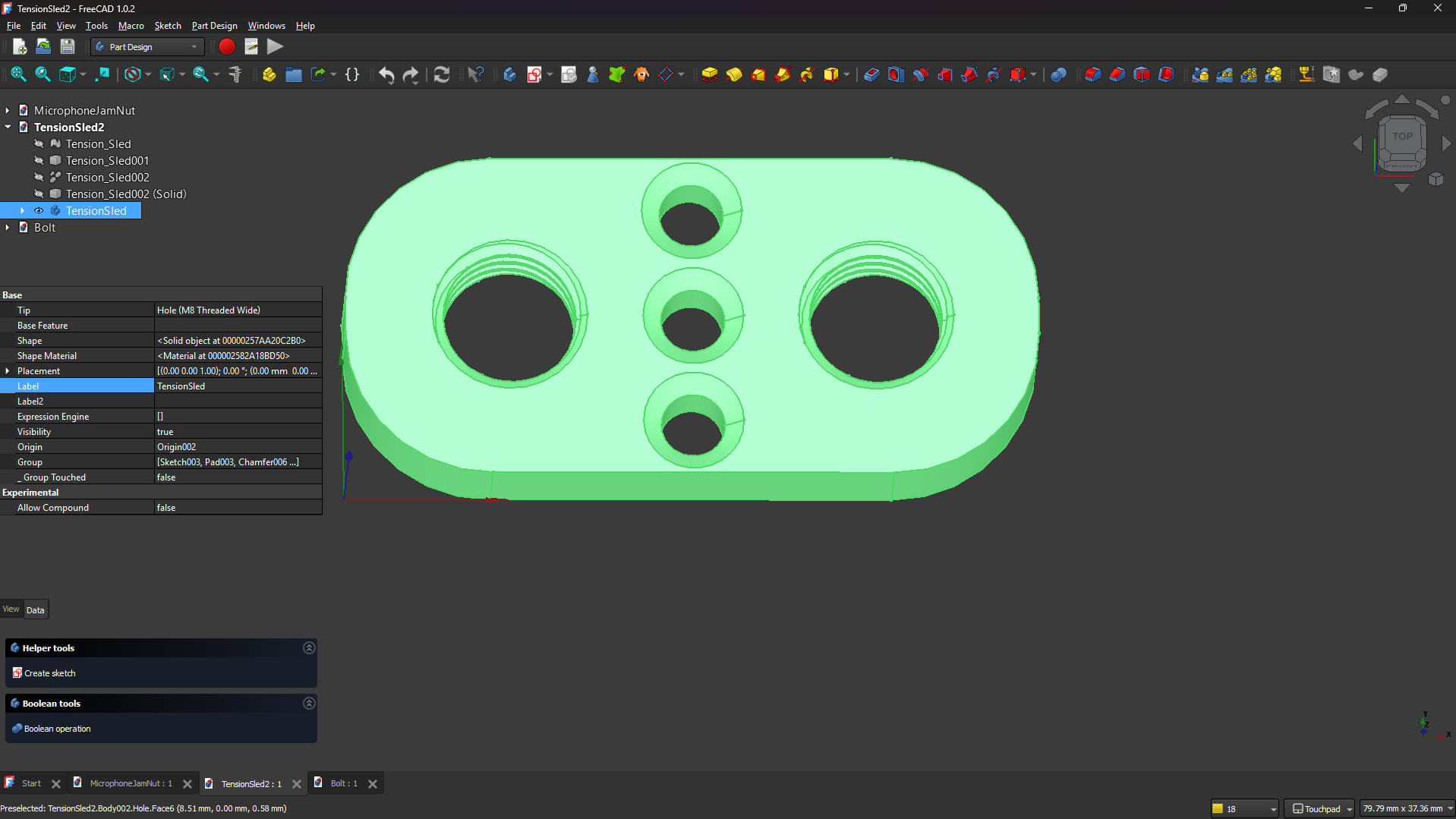
Back to basics. Taking it slowly helps smooth out the bumps in the road to learning FreeCAD. I had to start over on the tension sled sketch three times before I finally understood how to do it correctly from the start and get the results I wanted. The hole tool in FreeCAD makes it easy enough to add threads to a hole based on industry standard thread sizes.
I chose metric over imperial since everything is metric by default. I’m beginning to understand why Nick prefers metric in CAD, saying it’s so much easier to think about it that way. And it is. Saying 1.6mm is easier than saying 1⁄16″ or having to know that’s 0.0625″. But that’s enough of that. Mastering the hole tool takes me more iterations than I’d like to admit.
I have to revisit the exact process every time I come back to it, but tension sled complete. Now for those pesky cheesehead bolts. I’m not sure what size those giant bolts were to begin with, but I chose 8mm for the half giant size version I’m “remixing”. There is also a fastener extension for FreeCAD that makes modeling screws and bolts a breeze. Importing a model from McMaster-Carr is also an option.
Fine Tuning
Only a few obstacles remain. The first is how to get the thread clearance I need. Even using the “loose” fit option, the bolts barely starts in the threads. I can counter that by resizing the bolts slightly smaller in the X and Y direction in the Cura slicer. The bigger issue is how to modify the built in cheesehead model to slim down the head, protruding 1mm proud of the countersunk holes in the bottom.
It’s easier to perform a subtractive operation on the bolt itself than to try to import and modify the bottom design to adjust the countersink depth. Imagine creating a cylinder the diameter of the bolt head and 1mm tall, then subtracting that much from the head. But we’re not done there. Now imagine a rectangle the length and width of the slot for the screwdriver, but 1mm deeper and subtracting that too.
It takes a few iterations to get everything fitting together and working, but over the course of several days I’m much more comfortable using FreeCAD. That’s not to say I can jump right in there now and prototype anything as fast as I can in SketchUp, but I’m getting there. There are examples where it’s much quicker and easier to do things in FreeCAD as well, but we can talk about those later.
Back To the Grind
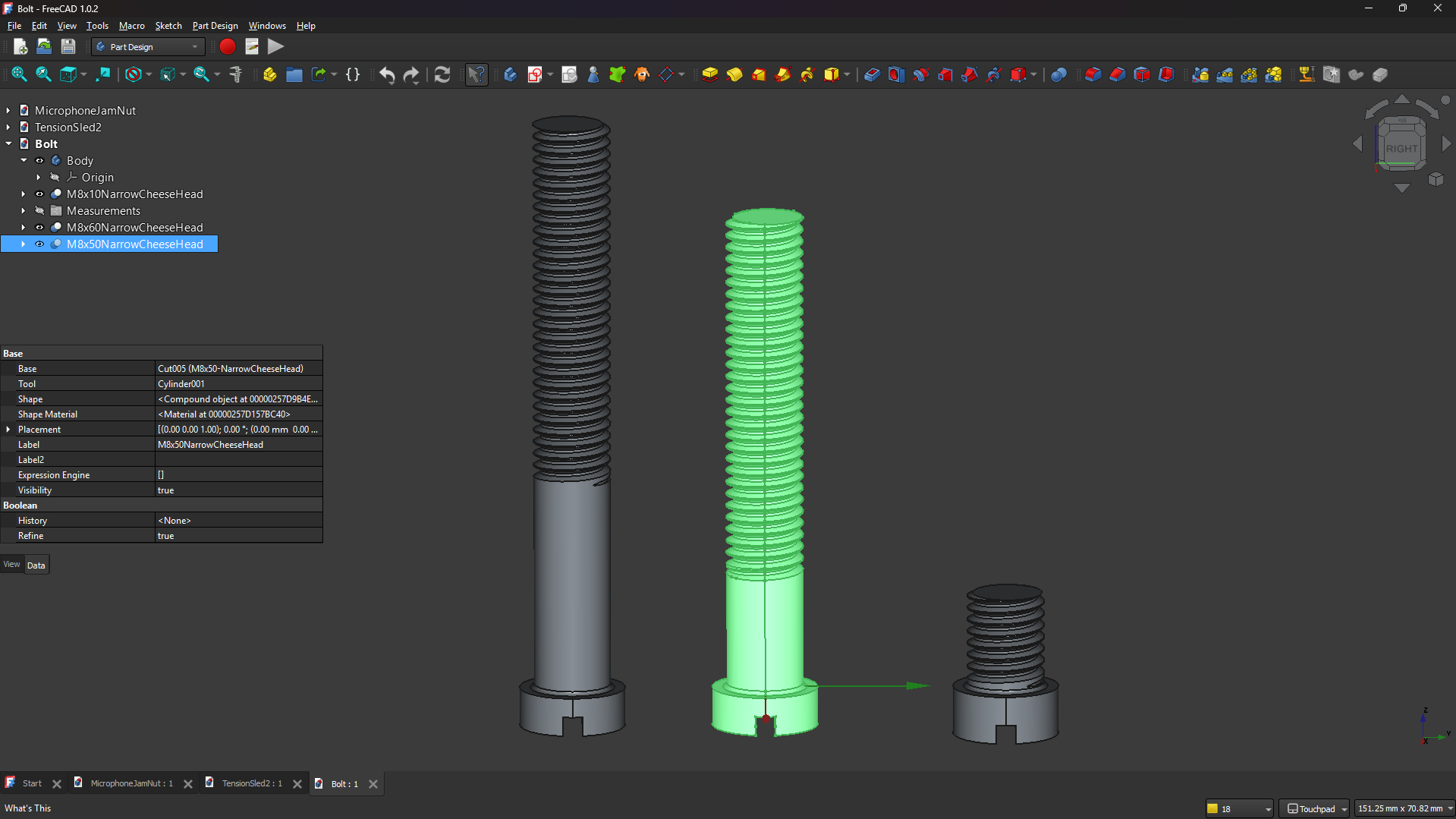
You may have noticed the different lengths of bolts in the FreeCAD design. The short one is entirely to cut down the print time to allow fine tuning the threads. The longer 60mm bolt has greater reach to aid in assembly. First the 3mm elastic cord is looped through the head and holes in the tension sled, then knotted to keep them in place.
Then the tension sled and attached elastic cords from the head are passed through the collar or scarf and chest pieces. The task of positioning the sled to thread in the bolts through the bottom begins. By threading one of the 60mm bolts into the back side of the tension sled, it can be used to position it while the another one is threaded into the sled through the bottom.
By continuing to tighten the one through the bottom, it draws the tension sled close enough to thread the nominal 50mm bolt in place in the other hole, while backing the 60mm bolt out the backside until it can be removed. The 50mm bolt is then tightened enough to relieve tension on the 60mm through the bottom, remove it, and replace it with another 50mm bolt.
The final tension is then adjusted by tightening or loosening those 50mm bolts. Sounds simple enough, but it’s definitely one of those “need three hands” operations while it’s going together. I found out the hard way not to turn the 60mm bolt through the bottom until the 50mm bolt is threaded in the other hole to keep the tension sled from turning and twisting the cord into knots.
Comparing FreeCAD and SketchUp
As discussed earlier, using FreeCAD compared to SketchUp is about using different mindsets. For me it’s also about familiarity and the ability to do simple things quickly and easily without a learning curve. But SketchUp has limitations, and many of them. Hence the “simple things” qualifier. Some limitations are solved by adding third party extensions, but often they aren’t free.
Here’s a simple example. For chamfer or filet operations, it’s all manual work in SketchUp. It’s hands down quicker in FreeCAD because it’s built in! Select the edges and click chamfer. Done. To be fair, there is a chamfer extension available for SketchUp. But that’s extra steps, having to download and install it, just to get to that point.
The best feature of FreeCAD over SketchUp, or any CAD program for that matter, is the ability to go back in time and change parameters and have it ripple forward. In SketchUp, if it’s wrong to start with, it’s wrong forever. The only thing adjustable in SketchUp after the fact is the ability to edit a component. This is another aspect of those constraints discussed earlier.
In a CAD program, changing the radius of a circle in a sketch will also vary a hole or cylindrical feature of a part based on that sketch. If the angle is wrong, simply change that parameter and everything else adjusts to the new value, at least if it’s constrained by that parameter it gets adjusted. That can’t be added to SketchUp just by adding an extension however.
The double whammy against SketchUp extensions, is they’re written in Ruby. Yet another computer language I’m not familiar with. Why Ruby? Apparently the thousands of other existing programming languages weren’t good enough, so yet another had to be written to address the shortcomings of all them. Just a thought…
Even if I wanted to write my own extensions, there’s the looming learning curve of Ruby. If I’m facing a learning curve, I’d much rather learn how to use FreeCAD than how to program in Ruby. I can’t think of any place Ruby’s used, other than a SketchUp extension. And let’s be honest, I’ll never have the time to learn how to program in Ruby, let alone write a SketchUp extension.
Not Sponsored Disclaimer
I should mention, none of the links provided are affiliate links, nor do any of them sponsor me or the Barkyard Railroad in any way. They are the materials I used and are provided as a convenience for the reader.
If you have any questions or concerns, please feel free to comment on this post. You’ll need to create a user account to do so, but we don’t use any personal information for marketing or to spam you (see our privacy policy). You’ll receive a verification email. Reply with the link provided to verify your email address. After that, it’s all automatic. No waiting on moderator approval! No spamming your inbox with useless advertisements and “Special Offers”. None of that nonsense.
More to come. Stay tuned!